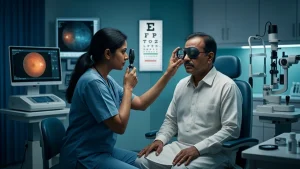

In today’s office environment we put in 6, 8 or more hours at our desks with laptops, desktop monitors, smartphones and in video meetings. Thus Office Eye Care is a key component of health and well being. We spend long times up close to screens which can leave the eyes dry, tired, irritated, or with temporary blurriness.
Why Office Work Can Affect Your Eyes
During periods of intense screen use, we see that blink rate goes down. Also, tears may evaporate faster in air conditioned settings. For Good Office Eye Care it is not enough to just lower screen brightness.
Workstation set up is a key issue. A monitor which is placed too high, too near, or at an off angle causes strain. Also direct bright light from windows and reflections play a role in Digital Eye Strain.
Common Eye Problems in Office Workers
Dry, Burning or Gritty Eyes
Dryness is a primary issue in what we see with Digital Eye Strain and Computer Vision Syndrome. Incomplete or reduced blinking which in turn disrupts the tear film is also a factor. You may see burning, itching, watering, redness, or a gritty sensation.
A practical Office Eye Care routine should include frequent blinking and visual breaks. If irritation persists after making these changes, an eye exam may help determine the cause.
Blurred or Fluctuating Vision
Temporary visual blur is a symptom of Computer Vision Syndrome and Eye Fatigue which presents after several hours of near work. Distant objects may take a few moments to clarify after looking away from the monitor.
Blurred vision is a symptom of Computer Vision Syndrome but do not always assume it is the computer’s fault. For Good Office Eye Care have your spectacle or contact-lens prescription up to date. If blur persists you may also require an assessment for dry eye, refractive error, cataract, retinal issues, or other eye health problems.
Headaches and Eyestrain
A tired aching sensation in your eyes may be a sign of Digital Eye Strain or Eye Fatigue which is a result of too much screen time. Glare, small text, high brightness, poor contrast, or a bad prescription can cause eye fatigue.
A Structured Office Eye Care routine is a help. Enlarge text, improve lighting, and take breaks which in turn may reduce discomfort. Headaches also have many non-eye causes. Repeated or severe episodes should be evaluated.
Difficulty Refocusing From Near to Far
Office workers can be seen going back and forth between a laptop, smartphone, printed out document, a co-worker, and a remote presentation screen. Over time what we term near work can cause Eye Fatigue which in turn may cause refocusing to take longer.
This issue of temporary focus is seen after long periods of near work. At regular Office Eye Care exams we may note that reading glasses, occupational lenses, or an update to the prescription is necessary for improved comfort.
Light Sensitivity and Glare
Excess light and glare at the work station can cause discomfort during screen work and also lead to eye strain and headaches. In Office Eye Care we pay attention to that. OSHA also says to arrange workspace lighting to reduce direct and reflected glare.
Balanced screen and room lighting may improve Eye Fatigue. Sudden or severe light sensitivity which also includes pain or redness do not treat as a routine case of Eye Fatigue.
| Common problem | Typical office trigger | Helpful first step |
| Dry or burning eyes | Reduced blinking, air-conditioning | Blink fully and take visual breaks |
| Temporary blurred vision | Continuous near work | Look into the distance regularly |
| Headache or eyestrain | Glare, poor lighting, small text | Adjust lighting and screen settings |
| Slow refocusing | Long periods at one distance | Alternate near and distant viewing |
| Light sensitivity | Reflections and bright light | Reduce glare around the workstation |
How to Prevent Eye Problems at Work
A few consistent changes can make Office Eye Care easier to follow every day.
Follow the 20-20-20 Approach
One useful Office Eye Care routine is to break what can become very long sessions of looking at close work. Every 20 minutes I try to look at an object around 20 feet away for about 20 seconds. Also this practice of looking away reminds me to blink which in turn makes for a more comfortable 8 hour shift.
Short breaks during which you step away from the computer also help to reduce issues in the workplace. CDC/NIOSH reports that taking breaks every hour is beneficial for people who spend large amounts of time at the computer.
Position Your Monitor Correctly
Short breaks during which you step away from the computer also help to reduce issues in the workplace. CDC/NIOSH reports that taking breaks every hour is beneficial for people who spend large amounts of time at the computer.
Proper positioning of your chair supports Office Eye Care and may reduce symptoms of Computer Vision Syndrome. Also note that screen height should be adjusted to work well with your glasses, in particular with progressive lenses.
Control Lighting and Reflections
Position the screen so that direct window light doesn’t shine in to your eyes or reflect off the monitor. OSHA also says to reduce the reflection of glare from windows, overhead lights and other bright sources in the work area. For less eye strain which is common in close computer work a balanced lighting solution is recommended. In terms of Effective Office Eye Care it is the workstation and also the over all environment which must be adjusted.
Blink Often and Manage Dryness
Blinking is what spreads the tear film over the eye surface. As we are into intensive work like coding, design, or while using a spreadsheet we tend to blink less. We have put in a simple habit at Office Eye Care which is conscious blinking and it may help ease Digital Eye Strain. If dryness persists go and get an assessment from an eye doctor who can also put you to the right treatment. Do not ignore repeated dryness.
Keep Your Prescription Up to Date
An old eye prescription may cause the eyes to overwork at the computer. Regular in office eye care which also includes computer vision evaluation may identify changes which in turn may cause Digital Eye Strain or Eye Fatigue. Proper prescription may improve comfort during computer use. For some workers occupational lenses may help which is great but what works best depends on age, prescription, working distance and symptoms.
| Workplace factor | Better practice |
| Monitor distance | Keep a comfortable distance; OSHA suggests at least 20 inches |
| Screen height | Keep the top of the monitor at or below eye level |
| Lighting | Use balanced light and minimise reflections |
| Breaks | Take short visual breaks during prolonged computer work |
| Blinking | Blink fully and often during concentrated tasks |
| Vision correction | Keep glasses or contact-lens prescriptions current |
When Should You See an Eye Doctor?
Preventive Office Eye Care should include attention to symptoms that keep returning.
Mild Computer Vision Syndrome issues may resolve with rest and adjustment of workstations. Persistent pain, recurring headaches, very bad dryness, frequent blurred vision, double vision, or ongoing focusing difficulty require an eye exam.
Good Office Eye Care includes recognizing symptoms that do not fit into the pattern of routine screen related discomfort. Don’t assume that every issue is related to Computer Vision Syndrome. Sudden vision loss, new flashes, a sudden increase in floaters, marked redness, severe pain, or new double vision require prompt medical care.
At ASG Eye Care, an eye examination can help identify dry eye, refractive error, or another condition that may explain persistent symptoms.
Conclusion
Consistent Office Eye Care improves when healthy screen practices are made a part of the workday. Healthy eyes support a comfortable and productive work environment. Long screen time, reduced blinking, glare, bad monitor placement, and out of date prescriptions may cause visual discomfort.
A practical Office Eye Care routine includes taking regular breaks, proper monitor placement, balanced lighting, frequent blinking, and appropriate vision correction.
Many issues of Digital Eye Strain and Eye Fatigue report improvement when everyday triggers are reduced. But persistent or atypical symptoms should not be ignored. If discomfort persists, an eye exam at ASG Eye Care can determine if it is Computer Vision Syndrome or another eye condition that requires treatment.
Frequently Asked Questions
1. What is the most common eye problem among office workers?
Dryness, irritation, temporary blurred vision, headaches, and focusing issues are what you’ll see with Digital Eye Strain. These symptoms present together as what is known to be Computer Vision Syndrome. A consistent Office Eye Care routine is to reduce that which triggers them.
2. Can computer screens permanently damage the eyes?
Long term use of electronic devices may result in Digital Eye Strain, dryness and temporary discomfort. Such symptoms usually are related to long term viewing, reduced blinking, glare, or focusing demand instead of the screen which does not in fact damage the eye. Good Office Eye Care practices and regular exams can help in the management of persistent symptoms.
3. How often should I take a break from the computer?
Short frequent breaks may decrease Digital Eye Strain which is an issue during long sessions of near work. The 20-20-20 method is an easy way to remember to take those breaks. It may also reduce Eye Fatigue and give your focusing system a break.
4. Can dry eyes cause blurred vision while working?
Yes. An unstable tear film is a cause of variable vision during long screen use. Dryness also plays a role in Computer Vision Syndrome. Persistent blurred vision should not be self diagnosed.
5. Does screen brightness cause eye strain?
A screen which is much brighter or that is much darker than the room’s lighting may cause discomfort. Also we see that glare and reflections which are a result of this may cause Digital Eye Strain. We find that balanced screen brightness is a useful element of Office Eye Care.
6. Should office workers have regular eye examinations?
Regular checkups are a good idea in particular for those with symptoms or wear prescription glasses. They will identify refractive changes, dry eye, and other problems which contribute to Eye Fatigue or Computer Vision Syndrome.
Reference Links
U.S. Occupational Safety and Health Administration – Computer Workstations: Workstation Environment
https://www.osha.gov/etools/computer-workstations/workstation-environment
U.S. Occupational Safety and Health Administration – Computer Workstations: Monitors
https://www.osha.gov/etools/computer-workstations/components/monitors