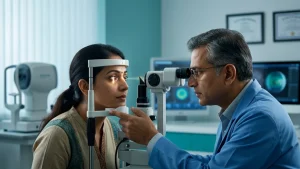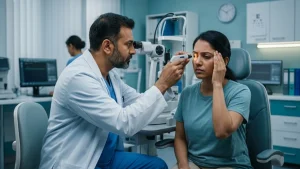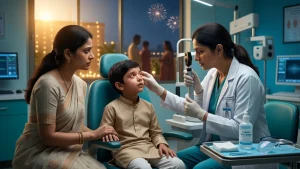

Light which we are exposed to changes how we feel towards everyday visual tasks. Dark rooms, bare bulbs, and screen reflections all increase visual strain. Creating proper lighting for eyes isn’t a matter of brightening a room as much as it is of balance between screen, task, and ambient light which keeps text clear and free of glare.
For persons that put in long hours reading or using screens, lighting is a key element in eye strain prevention. We have lighting for reading which in turn makes print more easy to see out of a balanced work station which in turn may reduce symptoms related to digital eye strain. Lighting improvements do not do away with the need for an eye exam. A proper lighting arrangement for the eyes should always be comfortable instead of very bright.
Why Does Lighting Affect Eye Comfort?
The visual system is in a constant state of adaptation to light and dark, to contrast. If a screen is very bright in comparison to the room which it is in, the eyes go back and forth at the transition from the display to the desk or the rest of the environment. When a lamp reflects on the screen there is a reduction in contrast that in turn may cause squinting, leaning in, or odd head postures.
proper lighting for eyes means what is even and well distributed illumination instead of a single intense light source. The US Occupational Safety and Health Administration reports that excessive lighting, glare, bright windows, and large contrast between light and dark areas may cause eye fatigue and headaches. They put forth that which is soft and even lighting is what we should go for also that screens be positioned at right angles to windows and direct light sources.
A comfortable setting which prevents eye strain by improving detail recognition. We have that lighting for reading which makes pages bright but not blinding. For computers and tablets we suggest to reduce reflections and to set display brightness which matches that of the room which in turn lessens digital eye strain.
What Is Digital Eye Strain?
Digital eye strain is a term used for a set of temporary symptoms which present during and after use of computers, smartphones, tablets and other electronic displays. Symptoms may consist of tiredness in the eyes or a burning sensation, dryness, tearing, temporary blurring of vision, headaches, and neck pain which may result from postures adopted to see the screen better or to reduce glare from the display or very small text.
Screen time is but one element. For extended near work, reduced break in focus, improper prescription of corrective lenses, bad posture, small print, glare, and large viewing distances are also to blame. Also from the National Eye Institute we learn that during screen use people tend to blink less which in turn may cause dry eye.
A which has proper lighting for computer screens we should pair that with blinking exercises and breaks. The CDC and National Eye Institute report that which method is 20-20-20.Every 20 mins take a 20 foot break for 20 seconds. This practice is great for eye strain prevention which in turn is very useful during long periods of close work.
Signs That Your Lighting Setup May Need Improvement
Moving reflections, a bright window in the background of the monitor, page shadows, or a visible bare bulb are indicators that lighting needs to be adjusted.
The table below shows common problems and ways to establish proper lighting for eyes.
| Lighting problem | What you may notice | Practical adjustment |
| Screen is much brighter than the room | Fatigue when looking away from the display | Add soft ambient light and reduce excessive display brightness |
| Window or lamp reflects on the screen | Glare, washed-out text, squinting | Turn the screen perpendicular to the light source |
| Page is dim or unevenly lit | Leaning closer, losing place, shadows | Add adjustable lighting for reading |
| Bare bulb is visible | Headache or light discomfort | Use a shade, diffuser, or indirect fixture |
| Glossy surface reflects light | Distracting bright patches | Change the lamp angle or use matte surfaces |
| Brightness changes sharply between areas | Temporary discomfort while adapting | Use more gradual, balanced illumination |
Dry eye, refractive errors, migraine, allergy, and focusing issues may present as digital eye strain. See a professional if symptoms persist after making proper workstation adjustments.
Proper Lighting for Computer and Laptop Work
For computer tasks, which is what your eyes are dealing with, proper lighting for eyes begins with screen placement. Put the desk out so windows are at either side of the monitor instead of right in front of or behind it. Use curtains, blinds or shades to soften the natural light but which at the same time leave your work space bright and pleasant.
Use soft ambient lighting instead of the screen as the primary source of light in the room. Overhead fixtures may reflect into glossy screens. OSHA suggests even illumination which is distributed well and the use of task lights for paperwork, provided that the lamp does not reflect onto the screen.
Display brightness should be the same as that of your surrounding workspace. Go with mostly white pages for a quick check. If it has a look of a lamp which is in the room, dim the brightness. Should it have a dim gray appearance and text is hard to see, turn it up a bit. This will in turn contribute to the eye strain prevention which may also reduce digital eye strain.
Lighting by itself is not enough. OSHA says to place the monitor at the very front for the user, at a distance of at least 20 inches, also the top of the screen should be at or below eye level. In addition to proper lighting for eyes this position may also reduce squinting and awkward posture. As the desk, monitor, or window position changes, review proper lighting for eyes.
Best Lighting for Reading and Studying
Good for lighting for reading that illuminates the page evenly which also keeps the bulb out of sight. An adjustable lamp with a shade is usually better than a far away ceiling fixture. Aim the light at the book or notebook, not your face.
When setting up proper lighting for eyes, include some background light in the room. As the page is bright in total darkness, there is a great contrast between the page and its surroundings. MedlinePlus reports that we should use good lighting which in turn reduces strain and improves visual comfort.
Effective lighting for reading also includes print size, contrast, reading distance, and the individual’s vision. In the case of older adults or people with reduced contrast sensitivity brighter task illumination is preferred but also an exposed high intensity bulb may still be too much. Balance in brightness is better than the strongest lamp.
Lighting for Phones, Tablets, and Night-Time Use
Phones in dark rooms tend to stand out the most. Reducing brightness does help but go too far that you have trouble reading which will cause you to squint. Instead of that try to increase font size and use dim room lighting for additional illumination which the device doesn’t provide.
Automatic that the warm night time settings and brighten features may feel like a relief, but they are not a substitute for breaks, eye blinking, keeping a proper distance from the screen, or for proper lighting for eyes. The issue of how long you are looking at the screen still plays a large role in digital eye strain.
The UK Health and Safety Executive reports that users should set up and change screen settings as required, also to see to it that lighting is right which in turn will help in the eye strain prevention which we see in both mobile and desktop users.
Lighting for Children’s Study Areas
A child’s desk should present adequate light for text and handwriting to stand out. Task lighting should be placed such that the child’s hand does not produce a large shadow, also the bulb must stay out of the main field of view.
Suitable lighting for reading is what you want for comfort, yet it is not true that which sits right up to the page or screen has weak lighting. A child that reports to you that they are squinting in to use, that they cover one eye, that they hold material very close, that they lose their place, report headaches, or have trouble seeing the board in the class room should have an eye exam.
Parents play a role in eye strain prevention by which they should provide proper lighting for eyes along with readable text, sensible screen habits, outdoor activity, and routine eye care. In a shared study area separate adjustable lamps for each child doing different tasks may be what is required. A lamp does not correct refractive error or diagnose an eye issue.
Quick Lighting Guide for Everyday Activities
| Activity | Comfortable approach | Common mistake |
| Desktop work | Even room light with the screen perpendicular to windows | Reflections or a bright screen in a dark room |
| Laptop study | Soft ambient light plus a task lamp for notes | Using the laptop as the only light source |
| Book reading | Focused, shaded lighting for reading with background light | Exposed bulb or deep shadow across the page |
| Phone use at night | Dim room light, readable font, comfortable brightness | Holding a bright phone close in complete darkness |
| Detailed craftwork | Bright, diffuse task illumination | Glare from shiny tools or work surfaces |
| Television viewing | Soft light behind or beside the viewer | A very bright screen in a fully dark room |
A Daily Routine for Better Visual Comfort
Start by looking to see if there is a lamp, window, or other bright object in the screen’s reflection. Move the monitor or light source till the reflection is gone. For when the display is the only bright element in the room add soft lighting and use a separate lamp for your documents.
Next step is to increase text size, clean the display, practice conscious blinking, and take distance viewing breaks. These actions in conjunction with proper lighting for eyes improve eye comfort. We address many causes of discomfort as opposed to blaming it all on a single element. This is to say that proper lighting for eyes is a component of a larger comfort routine.
For the best in eye strain prevention, do the 20-20-20 method and also switch tasks before your eyes do. Also , the recommendation of the National Eye Institute and CDC is to take regular visual breaks if you are working at a computer for long stretches.
When Should You Consult an Eye Doctor?
Book in for an eye exam when you have headaches, recurring blur, difficulty with reading, or eye discomfort which persist despite workstation changes. See your doctor right away for sudden vision loss, severe eye pain, new double vision, eye injury, marked redness, flashes of light with many new floaters, or very bright light sensitivity.
An updated spectacle prescription, dry eye evaluation, binocular vision assessment, or that of another condition may be required. Proper lighting for eyes may improve comfort but is not a treatment for disease. At ASG Eye Care we have an ophthalmologist who will determine the cause of your persistent symptoms and will advise on appropriate care.
Conclusion
Comforting light that is balanced, adjustable, and which does not draw attention via glare. In practice what is proper lighting for eyes does its job in the background and does not draw focus to the light source. What we see is a setting which has screen brightness matched to the room, which lights print material clearly and which keeps out direct light which causes eye strain. Thoughtful proper lighting for eyes can make work, study and leisure.
For improved eye strain prevention do in combination what is doable and which includes environmental changes, frequent blinks, use of readable text, maintaining a proper viewing distance, and taking regular breaks. We see that consistent eye strain prevention is better spent on improving what you do rather than just replacing the bulb which may not change the issue at hand. Also for good lighting for reading it should brighten what you are doing without causing glare, at the same time do what you can to break up uninterrupted near work which in turn will reduce digital eye strain. If symptoms persist you should see an eye care professional.
Frequently Asked Questions
1. What Brightness Should I Use on My Monitor?
There isn’t a set percentage. Instead we can fine tune the display until it is a white screen which is of equal brightness to the rest of your work area and at the same time is very clear and does not cause dizziness. This is a practical method for proper lighting for eyes.
2. Is Using a Screen in a Dark Room Harmful?
The strong difference may put some people at temporary fatigue or headache which is however not to say they are headed for permanent eye damage. Soft ambient light may also help in eye strain prevention and will in turn improve overall viewing comfort.
3. Which Direction Should a Reading Lamp Face?
Direct the light at the page and keep the bulb out of your view. Comfortable lighting for reading should be even and free from sharp shadows or reflective glare.
4. Is Warm Light Better Than White Light?
Neither does the warm or cool label of the light spectrum take the cake. Brightness, diffusion, placement, glare and personal comfort play a larger role in proper lighting for eyes.
5. Can Poor Lighting Permanently Damage Eyesight?
Poor quality light which we see in many offices causes transient issues like fatigue, squinting and headaches as opposed to permanent damage. HSE report that display screen work is not a cause of permanent eye damage, what they do report is that very long session may produce discomfort.
6. Does the 20-20-20 Rule Help?
It provides rest to the focusing system which the CDC and National Eye Institute also recommend. It works best when paired with good blinking habits, readable text, and balanced proper lighting for eyes.
7. Why Do My Eyes Still Hurt After Changing the Lighting?
Dry eye, out of date glasses, astigmatism, focusing issues, migraine, allergy, or extended near work may present as causes. An exam is recommended when symptoms are recurring, severe, or related to a change in vision.